
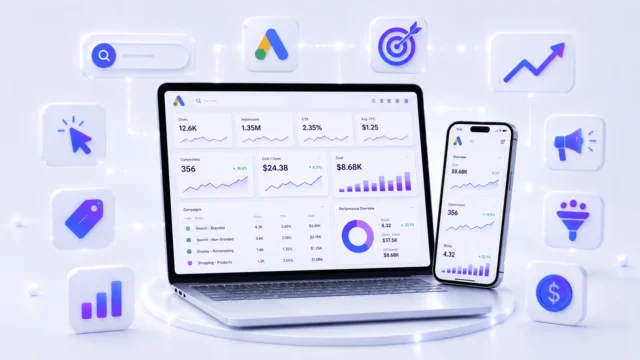
Google Ads
Create and optimize search, display, video and shopping campaigns to reach the right audience. Learn how businesses use Google Ads for leads, sales, website traffic and brand visibility.
A hands-on Google Ads course in Dehradun covering Search, Display, Shopping, Video and Performance Max, with keyword research and conversion tracking.
Google Ads is Google's advertising platform, and it lets a business appear at the top of the search results exactly when someone is looking for what it sells. It works on a pay-per-click model — the ad can be shown any number of times, but you are charged only when a person actually clicks. That is why it is also known as PPC, and why it behaves less like advertising and more like buying customers with intent.
Running it well is a real skill. You research keywords and match types to decide which searches should trigger your ad, write ad copy and extensions that earn the click, point traffic at a landing page that matches the promise, set budgets and bidding strategies, add negative keywords so money is not wasted on the wrong searches, and set up conversion tracking so every enquiry can be traced back to the click that produced it. Beyond Search there are Display, Shopping, YouTube and Performance Max campaigns for different goals.
For a business in Dehradun this is the fastest way to reach people who are already searching — someone typing a "near me" query is far closer to buying than someone scrolling a feed. For a learner, a Google Ads course in Dehradun opens PPC executive and paid media roles, freelance campaign management for local clients, and the ability to run your own ads without burning through the budget.
Learn what Google Ads is and how businesses use it to reach customers through search, display, video, shopping and automated campaigns. This module explains how paid advertising works on Google and why businesses use it for leads, sales, website traffic and brand visibility. Students will understand the difference between organic results and paid ads. The module also introduces the complete Google Ads ecosystem so learners can understand how different campaign types work together.
Ad Rank decides where your ad appears on Google Search results and whether your ad is shown or not. In this module, students learn how bid amount, ad quality, landing page experience, expected CTR and ad relevance affect Ad Rank. The module explains why the highest bidder does not always get the top position. Students will understand how improving ad quality can reduce cost and improve performance.
This module teaches students how to create and set up a Google Ads account properly. Students learn about account structure, billing setup, campaign settings, time zone, currency and basic account preferences. A correct account setup is important because wrong settings can create tracking, budget and reporting problems later. Students also learn basic safety practices before starting live campaigns.
Google Keyword Planner helps advertisers find keywords, search volume, competition level and bid estimates. In this module, students learn how to research keywords for products, services and local businesses. They will understand how to choose the right keywords based on user intent, search demand and campaign goals. This module also explains how keyword research helps in planning Search Ads campaigns more effectively.
This module explains how to create a campaign inside Google Ads step by step. Students learn how to choose campaign goals, campaign type, location targeting, language, budget, bidding and basic settings. The module helps students understand why every campaign should be created with a clear purpose. Students will learn how a properly planned campaign improves control, tracking and performance.
Search Ads appear when users search for products, services or solutions on Google. In this module, students learn how Search Ads work and why they are useful for high-intent traffic. Students will understand how keywords, ad groups, ad copy and landing pages connect with each other. This module also explains how Search Ads can help businesses generate enquiries, calls, leads and website visits.
Audience Segments help advertisers reach specific groups of people based on interests, behaviour, search activity or website interaction. In this module, students learn how Google uses audience data to improve targeting. Students will understand how audience segments can be used in display, video, search and remarketing campaigns. This module helps learners move beyond keyword targeting and understand user-based targeting.
Affinity segments help advertisers reach people based on their long-term interests and lifestyle patterns. In this module, students learn how affinity, in-market, custom and remarketing segments are different from each other. Students will understand when to use these segments for awareness, consideration and conversion campaigns. This module also explains how better audience selection can improve campaign relevance and reduce wasted budget.
An Ad Group is a smaller structure inside a campaign where related keywords and ads are grouped together. In this module, students learn how to create clean and focused ad groups for better campaign organization. Students will understand why mixing unrelated keywords in one ad group can reduce ad relevance and performance. This module helps learners build campaigns that are easier to manage, test and optimize.
This module teaches students how to create effective ads for Google campaigns. Students learn how to write headlines, descriptions, calls-to-action and benefit-focused ad copy. The module explains how ad copy should match the user’s search intent and landing page message. Students will also understand how testing multiple ad variations helps improve click-through rate and campaign results.
Structured Snippet Extensions allow advertisers to highlight specific features, services, courses, brands or categories under their ad. In this module, students learn how structured snippets improve ad visibility and provide extra information to users. Students will understand where structured snippets should be used and how to write them correctly. This module also explains how ad extensions can improve ad quality and increase the chances of better engagement.
Keywords are the search terms or phrases that connect user queries with your ads. In this module, students learn keyword types, user intent, keyword relevance and keyword grouping. Students will understand the difference between broad, phrase and exact match keywords. This module helps learners choose keywords that attract the right audience instead of wasting budget on irrelevant clicks.
Negative Keywords stop ads from showing on irrelevant searches. In this module, students learn how negative keywords help save budget and improve lead quality. Students will understand how to identify unwanted search terms from reports and add them as negative keywords. This module is important because many Google Ads campaigns lose money due to poor keyword filtering.
This module explains how to set campaign budgets and read campaign performance reports. Students learn how daily budget, clicks, impressions, CTR, CPC, conversions and cost per conversion are connected. The module helps students understand whether a campaign is performing well or needs improvement. Students will also learn how reporting helps in making better decisions instead of guessing.
Conversion Goals help advertisers track important actions such as form submissions, phone calls, purchases, sign-ups or WhatsApp clicks. In this module, students learn why conversion tracking is important for measuring real campaign success. Students will understand the difference between clicks and actual business results. This module also explains how conversion goals help optimize campaigns for leads, sales and meaningful actions.
Display Ads appear on websites, apps and Google partner networks using image-based or visual ads. In this module, students learn how display campaigns help in brand awareness, remarketing and visual promotion. Students will understand how audience targeting, creatives and placements affect display ad performance. This module also explains why display campaigns need strong visuals and clear messaging.
Video Campaigns help businesses promote videos on YouTube and across Google video partner platforms. In this module, students learn how video ads are used for awareness, engagement, product promotion and remarketing. Students will understand campaign objectives, audience targeting, video creative planning and basic performance metrics. This module also explains how YouTube advertising can support brand visibility and lead generation.
Shopping Campaigns are used by e-commerce businesses to promote products directly on Google with images, prices and product details. In this module, students learn how shopping ads work and why product feed quality is important. Students will understand the connection between Google Ads, Google Merchant Center and product listings. This module is useful for learners who want to understand e-commerce advertising and product-based campaigns.
Performance Max is an automated Google Ads campaign type that runs ads across Search, Display, YouTube, Gmail, Discover and Maps. In this module, students learn how Performance Max uses goals, assets, audience signals and automation to find potential customers. Students will understand the benefits and limitations of automated campaigns. This module also explains why correct campaign structure, conversion tracking and asset quality are important for Performance Max success.
Google Merchant Center is used to upload and manage product data for Shopping Ads and free product listings. In this module, students learn the role of product feed, product title, description, price, image, availability and website connection. Students will understand why Merchant Center approval and feed quality are important before running shopping campaigns. This module also explains common product listing issues that can affect campaign performance.
This module teaches students how to create the right structure for Shopping Campaigns. Students learn how to organize products, product groups, categories, bidding and campaign priorities. A proper structure helps advertisers control budget, understand performance and optimize product-based campaigns more easily. Students will understand why random product grouping can make reporting and optimization difficult.
This module explains how to structure a Performance Max campaign correctly for better results. Students learn about asset groups, audience signals, listing groups, conversion goals, creatives and campaign settings. The module helps students understand how to organize campaigns based on business goals, products or services. Students will also learn why Performance Max should not be created blindly without tracking, assets and proper planning.
The Google Ads and tracking toolkit
Google Ads cannot be learned safely by experimenting with a real business budget — mistakes there cost money quickly, and the common ones are expensive. The way to learn is inside the actual platforms on real campaign scenarios, with someone explaining why a setting matters before you rely on it. That is how this Google Ads course in Dehradun is structured.
The toolkit is deliberately tight, because paid search rewards depth over breadth. Google Ads itself is the core, building and optimising Search, Display, Video and Shopping campaigns to reach the right audience with the right budget. Google Analytics shows what those visitors did after the click, which is where you learn whether traffic was genuinely valuable. Google Tag Manager handles tracking tags and conversion setup without editing site code repeatedly. Google Merchant Center manages product data for Shopping campaigns and ecommerce advertising.
Those four together form the loop a professional actually works in: run the campaign, track the conversion, read the behaviour, adjust the spend. Most beginners learn only the first step and then cannot explain whether their ads worked. Being fluent across all four is what qualifies you for PPC and paid media roles, and it is what lets you take on a client's advertising budget without guessing.
Create and optimize search, display, video and shopping campaigns to reach the right audience. Learn how businesses use Google Ads for leads, sales, website traffic and brand visibility.
Measure website and app traffic to understand user behaviour, campaign performance and marketing results. Learn how to read important data for better decision-making.
Manage and deploy tracking tags on a website without directly editing the code again and again. Learn how marketers use tags for analytics, conversions and remarketing setup.
Upload and manage product data to make products available for Shopping Ads and other Google services. Learn how product feed quality supports better e-commerce campaign performance.
PPC & Performance Marketing Career Pathways
Google Ads is a specialist skill rather than a general one, and that is exactly why it pays. A business handing over an advertising budget needs to trust the person spending it, so employers hire for demonstrated competence — someone who can structure a campaign, control cost per click and show which spend produced enquiries. Agencies, startups, ecommerce brands and established local businesses all hire for this, and the demand is steady because campaigns need managing continuously, not once.
The usual path starts at PPC Executive, where reported ranges run around ₹2.5L to ₹5L a year, and moves toward Digital Marketing Executive at mid level in the region of ₹5L to ₹10L a year as you take on more budget and broader responsibility. Progress here is unusually fast compared with other marketing roles, because your work produces numbers: a campaign you improved is evidence in a way that most job experience is not, and it travels with you to the next interview.
There is strong freelance demand too. Doctors, coaching institutes, hotels, showrooms and service businesses in Dehradun want enquiries from Google but have nobody to run and monitor campaigns, and this is work you can take on alongside a job. Business owners often learn it to stop wasting their own budget. Actual pay depends on your skill, the results you can show, interview performance, city and company — the figures above are indicative ranges.
Manage Google Ads campaigns, monitor performance, optimize keywords and bids, and improve ROI for leads and sales.
Plan and run paid campaigns across Google Ads while supporting analytics, conversion tracking, reporting, and growth strategy.
What you leave with
Every student who completes Google Ads Course in Dehradun at ACME IT Centre is awarded a course completion certificate.
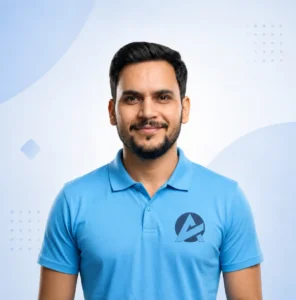
IT Trainer in Dehradun | Web Development, Digital Marketing, Data Analysis & Computer Skills
Co-Founder and Lead Trainer at ACME IT Centre with 12 years of experience in practical, beginner-friendly IT and career skills training in Dehradun.

Performance Marketing Specialist | Google Ads, Meta Ads & Paid Campaign Strategy
Digital Marketing Trainer at ACME IT Centre with 7+ years of hands-on performance marketing experience. Has trained 500+ students in Dehradun across Google Ads, Meta Ads, and paid campaign strategy.
"I would say this course is very useful for beginners. Ganesh Sir explains Google Ads in a friendly way, so it does not feel too technical. I learned practical concepts like campaign setup, keywords, bidding, ad copy, targeting, and basic optimization. The support, examples, and doubt-solving made it helpful for freelancing, jobs, and business promotion."
"My learning experience was very good at Acme IT Centre. Ganesh Sir made Google Ads easy by explaining campaigns, ad groups, keywords, budget, and targeting in a very clear way. He helped us with doubts and gave practical examples. This course helped me build confidence for job, freelancing, and business marketing."
"What I liked most was that Ganesh Sir explained why we do each step in Google Ads, not just how to do it. I learned campaign planning, keyword research, ad copywriting, budget setting, and negative keywords. The examples were very practical. Now I understand how businesses use ads to get leads online."
"The course was simple, practical, and easy to understand. Ganesh Sir explained Google Ads with real examples, so topics like CPC, CTR, keywords, bidding, and conversions became clear. He supported us during practice and solved doubts patiently. This course can really help students who want digital marketing jobs or freelance projects."
| What to check | ACME IT Centre | Other institutes |
|---|---|---|
| Course fee | ₹7,999 | Commonly ₹15,000 – ₹30,000 in Dehradun |
| Course duration | 1 Month, focused | Often stretched to 3 months |
| Live practical sessions | Yes, in every class | Often lecture-based |
| Projects you work on | Real-world Google Ads campaigns | Demo screenshots |
| Who teaches you | A trainer who runs live campaigns | Often rotating faculty |
Pick a batch that fits your schedule. Seats are limited and confirmed on a first-come basis.
Yes. Many business owners join specifically to promote their own products or services. You'll learn to plan budgets, structure campaigns, write ad copy, target the right audience and track conversions, so you can run and manage profitable Google Ads campaigns for your business with confidence.
Yes, ACME IT Centre offers a free demo class for students interested in the Google Ads course.
In the demo class, you can understand the teaching style, course topics, training method, and career benefits.
You can visit the ACME IT Centre office in Dehradun or contact the institute through the website to book your free demo class.
There is no pressure to join after the demo class. The demo helps you decide whether the course is right for you.
No, you do not need any previous marketing or advertising experience.
This course is beginner-friendly. You only need basic computer knowledge, like using a browser, email, and internet.
The course starts from basic concepts and slowly moves to advanced Google Ads topics. So students, freshers, business owners, and freelancers can all join this course.
Yes, ACME IT Centre provides placement assistance and internship guidance after course completion.
Students get support for job preparation, interview guidance, resume improvement, and internship opportunities.
After completing this course, students can apply for roles like:
Placement support is provided, but final selection depends on the student’s skills, practice, interview performance, and company requirements.
Yes. Businesses, agencies and e-commerce brands rely on paid search and Performance Max to generate leads and sales, so skilled Google Ads specialists remain in demand. It's a practical, measurable skill that supports roles in PPC, performance marketing and freelancing, and it's useful for promoting your own business too.
Yes, this course is available in both online and offline modes.
Students in Dehradun can attend classroom training at:
ACME IT Centre
99, Mata Mandir Rd, Bahuguna Colony, Ajabpur Khurd,
Dehradun, Uttarakhand 248121
Students from other cities can join the course online through live classes. The training is given in Hindi and English, so students can learn comfortably.
The Google Ads course at ACME IT Centre is a 1-month course. The total fee for the course is ₹11,999.
ACME IT Centre also offers a 10% early-bird discount for new admissions. Students can pay the fee upfront or ask about EMI/installment options.
The course includes practical training, live project practice, study material, recorded sessions, and doubt-clearing support.
ACME IT Centre offers a practical Google Ads Mastery Course in Dehradun for students, job seekers, freelancers, business owners, and working professionals.
In this course, you will learn how to create and manage Google Ads campaigns step by step. The course covers Search Ads, Display Ads, YouTube Ads, Shopping Ads, Performance Max campaigns, App campaigns, and remarketing.
This course starts from the basics, so even beginners can understand Google Ads easily.
Entry-level PPC Executive roles in India typically pay around ₹2.5–5 LPA, while experienced digital marketing executives managing paid campaigns can earn ₹5–10 LPA. Actual pay depends on your skills, portfolio, city and interview performance. Freelance Google Ads work is also a common income path.
ACME IT Centre provides post-course support to help students continue learning even after the course is completed.
Students get:
This support helps students improve their skills and stay updated with Google Ads.
This course covers all important parts of Google Ads training. Students will learn:
Students also learn useful tools like Google Analytics, Google Tag Manager, Google Keyword Planner, Google Merchant Center, and Google Search Console.
The course is taught by Mr. Ganesh Bhatt, a digital marketing trainer with 7+ years of industry experience.
He has trained 1,500+ students through online and offline classes. His teaching style is practical and easy to understand.
Students learn through examples, practice accounts, campaign setup, and real-world case studies. This helps them understand how Google Ads works in actual business situations.
Yes, students receive a course completion certificate from ACME IT Centre after successfully completing the Google Ads course.
Students are also guided for the official Google Ads Certification through Google Skillshop.
The certificate can help students improve their resume and show their Google Ads skills to companies, clients, or freelance customers.
If you are looking for a Google Ads Course in Dehradun that is practical, career-focused and easy to follow, this program is built for you. It suits students starting from zero, business owners who want to stop wasting advertising budget, freelancers who want to manage campaigns for clients, and working professionals moving into paid marketing. No prior advertising experience is required — we begin with how the auction works and build up to running and optimising real campaigns.
Google Ads lets a business appear at the top of Google’s results at the exact moment someone searches for what it sells. You are charged only when a person clicks, which is why it is also called PPC, or pay-per-click advertising. That single detail changes everything: instead of paying to be seen by a general audience, you are paying to reach people who are already looking for your product or service.
For a business in Dehradun this matters more than most local advertising. Someone typing a “near me” search has already decided they want something and is choosing where to get it. Reaching that person is far more valuable than an impression on a hoarding, and because every click, call and enquiry can be traced, you can prove which spend produced results and which did not.
The course begins with account structure, because most wasted budget comes from campaigns that were badly organised from the start. You learn how campaigns, ad groups, keywords and ads fit together, and why that hierarchy quietly controls your costs.
From there the training covers keyword research and match types, search intent, and the negative keywords that stop your ads showing for irrelevant searches. You learn to write ad copy and headlines that earn the click, use ad extensions properly, and align the landing page with the promise the ad made — because traffic sent to a mismatched page converts poorly no matter how good the campaign is.
Audience targeting and remarketing follow, so you can reach people by location, demographics and past behaviour, and bring back visitors who left without enquiring. Bidding strategies and budget management complete the picture, covering manual and automated bidding and how to judge which suits a given goal.
This Google Ads training in Dehradun covers the full range of campaign types rather than search alone. You work on Search campaigns for intent-driven leads, Display campaigns for reach across websites, Shopping campaigns for product and ecommerce businesses using Google Merchant Center, Video campaigns on YouTube, and Performance Max, which runs across all Google properties from a single campaign.
Knowing which type suits which business is part of the skill. A local service provider, a coaching institute and an online seller need very different setups, and choosing wrongly wastes money quickly. Every module is supported with practical examples so you build confidence on real campaign scenarios before handling a live budget.
Running ads is the easy half. Proving they worked is what employers and clients actually pay for, and it is where most self-taught advertisers get stuck.
You will learn conversion tracking setup, Google Analytics basics and Google Tag Manager, so that enquiries, calls and form fills are recorded properly and attributed to the campaign that produced them. On top of that comes budget planning, reporting, and the optimisation routine that improves click-through rate, lowers cost per click and reduces wasted spend over time. By the end you will be able to open an account, read the numbers and explain clearly what each rupee returned.
This course is a good fit for students who want to start a career in paid advertising, beginners learning Google Ads from zero, and job seekers targeting PPC and Google Ads executive roles. It equally suits freelancers who want to run campaigns for clients, business owners and shop owners in Dehradun who want enquiries from Google, and digital marketing learners who want to specialise in paid search rather than stay general.
If you have already tried running ads yourself and watched the money disappear without results, this course is particularly useful — most of that comes from a handful of avoidable setup mistakes.
Google Ads is a specialist skill, and specialists are paid better than generalists. The usual starting role is PPC Executive, with reported ranges around ₹2.5L to ₹5L a year, progressing to Digital Marketing Executive at mid level in the region of ₹5L to ₹10L a year as you take on larger budgets and broader responsibility.
Progress here is unusually quick because your work produces numbers. A campaign you improved is concrete evidence in a way that most job experience is not, and it travels with you to every interview. Freelance demand is strong too — clinics, institutes, hotels and showrooms across Dehradun want enquiries from Google but have nobody to plan and monitor the campaigns.
At ACME IT Centre we focus on hands-on learning instead of theory. Training runs as live practical sessions with real Google Ads projects and assignments, and you receive a course completion certificate at the end. You are guided through the platform itself rather than shown screenshots of it, and doubts are cleared as they arise rather than saved for later.
The aim is straightforward: by the end of the course you should be able to create, manage, analyse and optimise Google Ads campaigns with clarity and confidence — whether that is for your own business, for clients, or in a job.
The best way to judge any Google Ads course in Dehradun is to sit in one class before deciding. Book a free demo at our Dehradun centre, see how the training is delivered, ask about the syllabus and fees, and then choose. If you want to go further afterwards, the Performance Marketing Course extends this into Meta Ads and full-funnel tracking, while the Digital Marketing Course covers SEO, social media and content alongside paid ads.
The Google Ads Course is one of many practical computer courses in Dehradun at ACME IT Centre. Explore the full range and choose the learning path that fits your career goals.
| Course fee | ₹7,999 (was ₹8,999) |
|---|---|
| Duration | 1 Month |
| Mode | Classroom (offline) in Dehradun |
| Language | Hinglish |
| Certificate | Issued by ACME IT Centre on completion |
| Instalments | Available |
| Next batch | 20 Oct 2026 |
| Trainer | Ganesh Bhatt, Sandeep Pathani |
We received your booking request. A course counsellor will verify the batch, answer your questions, and confirm your demo slot shortly.