
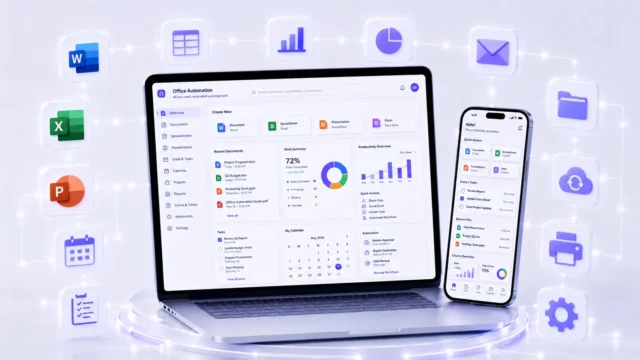
MS Word
Learn document typing, formatting, letters, resumes, tables, page setup and print-ready office documents.
A basic computer course in Dehradun that starts from zero: Windows and file handling, typing, MS Word, Excel and PowerPoint, plus internet and email.
A basic computer course teaches everything a beginner needs to use a computer confidently at work — nothing is assumed, and you start from switching the machine on. It covers the Windows operating system, files and folders, typing, the MS Office trio of Word, Excel and PowerPoint, plus the internet, email and everyday tasks like printing, scanning and handling PDFs.
Each part maps to something offices actually ask for. Word for letters, applications and formatted documents; Excel for records, formulas and simple reports; PowerPoint for presentations; Gmail and Google Drive for sending, receiving and storing work; and browsing and online research for form-filling, applications and verification. Typing practice and keyboard shortcuts run through all of it, because speed on a keyboard is what separates someone who can use a computer from someone who is comfortable on one.
These are the exact skills listed in office job advertisements in Dehradun, in government form-filling work and in college assignments — which is why a basic computer course in Dehradun is usually the first step for students, job seekers and anyone returning to work. It leads directly into admin assistant, back office, front office and data entry roles, and it is also the foundation you need before moving on to Advanced Excel, Tally or digital marketing.
Start from zero and understand basic computer use.
In this module, students learn the basics of computers, hardware, software, input-output devices, Windows interface, desktop, taskbar, start menu and basic settings. This module is perfect for beginners who want to build a strong computer foundation.
Improve speed, accuracy and daily computer handling.
Students practice keyboard keys, shortcut keys, mouse handling, left click, right click, drag and drop, typing accuracy and basic typing speed improvement. Daily practice helps students become confident while working on a computer.
Learn how to manage office files properly.
This module covers creating folders, saving files, renaming files, copying, moving, deleting, searching, organizing documents and using external storage. Students also learn safe file handling for office and personal work.
Create professional documents, letters and reports.
Students learn document typing, formatting, page setup, tables, images, headers, footers, bullets, numbering, alignment, margins, print settings and professional document design. This helps students create letters, resumes, reports and office documents.
Learn Excel for office records and basic reports.
This module includes data entry, formatting, rows, columns, basic formulas, SUM, AVERAGE, COUNT, percentage calculation, tables, sorting, filtering and simple reports. It is useful for office work, admin work, back office work and daily data management.
Create clean and professional presentations.
Students learn slide creation, text formatting, images, icons, themes, transitions, animations and presentation design. This module helps students prepare school, college, business and office presentations.
Use online tools for study, office and business work.
Students learn internet browsing, Google search, Gmail, email writing, sending attachments, downloading files, Google Drive, Google Docs, Google Sheets and basic cloud storage. This is important for modern office and online work.
Practice real office work with daily assignments.
This module covers print settings, page setup, PDF creation, PDF download, scanning basics, document sharing and common office tasks. Students complete daily practical assignments to become job-ready for computer-based office work.
The everyday office software you'll use
Confidence with a computer comes from having done the task before, not from having been told how. Someone who has formatted a letter, built a small Excel sheet and sent an attachment with a file properly named will handle those requests at work without hesitating. That is why this basic computer course in Dehradun is practical from day one, with Office 365 access so you can keep practising outside class.
You work across the software offices genuinely run on. MS Word for documents, letters, resumes, tables and print setup; MS Excel for data entry, formulas, sorting, filtering and simple reports; MS PowerPoint for clean presentations. Alongside the Microsoft tools you learn their online equivalents — Google Docs, Google Sheets and Google Drive for shared and cloud-based work — plus Gmail for professional email, attachments and inbox management. Then the everyday practicalities most courses skip: Windows File Explorer for organising files and folders, internet browsing and PDF handling, printer and scanner basics, and daily typing practice for speed and shortcut confidence.
Covering both Microsoft and Google versions is deliberate, because you cannot control which one an employer uses. Knowing both means you can sit at any office computer and be useful immediately, which is exactly what a first office job asks of you.
Learn document typing, formatting, letters, resumes, tables, page setup and print-ready office documents.
Learn data entry, formulas, tables, sorting, filtering and basic office reports for daily work.
Create clean presentations with slides, images, icons, themes, transitions and professional layouts.
Practice online document creation, editing, sharing and cloud-based writing using Google Docs.
Learn basic online spreadsheet work, data entry, simple formulas and shared office records.
Learn email writing, attachments, inbox management, professional replies and safe email usage.
Store, organize, upload, download and share files safely using Google Drive cloud storage.
Create, download, open, share and manage PDF files for office documents and online submissions.
Learn page setup, print preview, printer options and basic printing tasks for office documents.
Learn basic scanning workflow, saving scanned files and using scanned documents for office work.
Manage files, folders, downloads, storage devices, copy, move, rename and organize documents.
Improve typing speed, accuracy, keyboard handling and shortcut key confidence through daily practice.
Where basic computer skills can take you
Basic computer skills are not a career in themselves — they are the entry requirement for almost every office career. Look at any admin, reception, billing or back-office advertisement in Dehradun and the line "must know computer and MS Office" appears in nearly all of them. Without it your application is filtered out before anyone reads the rest; with it you are in the pile that gets called.
The roles this opens are Admin Assistant, Back Office Executive, Office Coordinator, Computer Office Assistant, Data Entry Assistant, Documentation Assistant and Front Office Assistant. These sit across every sector — schools, hospitals, showrooms, transport offices, hotels, government-linked service centres and small firms — which is what makes the skill portable. If one industry slows down, the same abilities transfer to another, because a formatted letter and a clean Excel sheet mean the same thing everywhere.
It is also the foundation the rest of your learning stands on. Advanced Excel, Tally, typing and data entry, and digital marketing all assume you can already handle Windows, files, typing and MS Office comfortably; starting them without that base is what makes people struggle. Pay for entry-level office roles is set by the employer and depends on your skills, confidence and the responsibilities involved, so it is best discussed at interview rather than assumed in advance.
Handle basic office tasks, documents, records and daily admin support work.
Manage backend office work, data entry, reports, files and documentation.
Coordinate office work, follow-ups, documents, schedules and team support tasks.
Support daily computer-based office work using MS Office, email and internet.
Enter, update and manage data carefully using Excel and office software.
Create, format, print and manage office documents, PDFs and records.
Manage visitor support, calls, emails, basic records and front desk tasks.
What you leave with
Every student who completes Basic Computer Course in Dehradun at ACME IT Centre is awarded a course completion certificate.
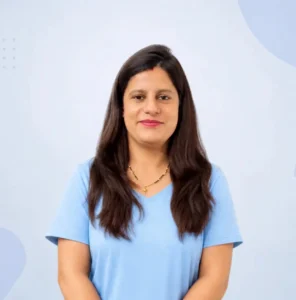
Mrs. Richa Bhatt holds an M.Tech in Structural Engineering and has 8+ years of experience teaching Computer Applications, MS Office and Tally. She also has 5+ years of experience teaching Graphic Design using Adobe Photoshop, Illustrator, InDesign, Canva and Adobe Express.
"Best decision to join Acme IT Centre for Basic Computer course. The training is comprehensive and the trainers are passionate about teaching. I gained confidence in using computers for office work. Great institute with excellent results!"
"Good course with experienced teachers. The Basic Computer training at Acme IT Centre was beneficial. I learned typing, MS Office, and internet basics. The atmosphere is positive and learning-friendly. Satisfied with my experience here."
"Superb learning experience! Acme IT Centre's Basic Computer course helped me get started with computing from zero. The teaching methodology is excellent and practical oriented. I now handle daily computer tasks with ease. Strongly recommended!"
"I joined the Basic Computer course here and found it very useful. The trainers are friendly and make learning easy. The institute has good facilities and a comfortable learning environment. Overall a great experience!"
Student success
Meet some of our recent learners who successfully completed this course at ACME IT Centre.
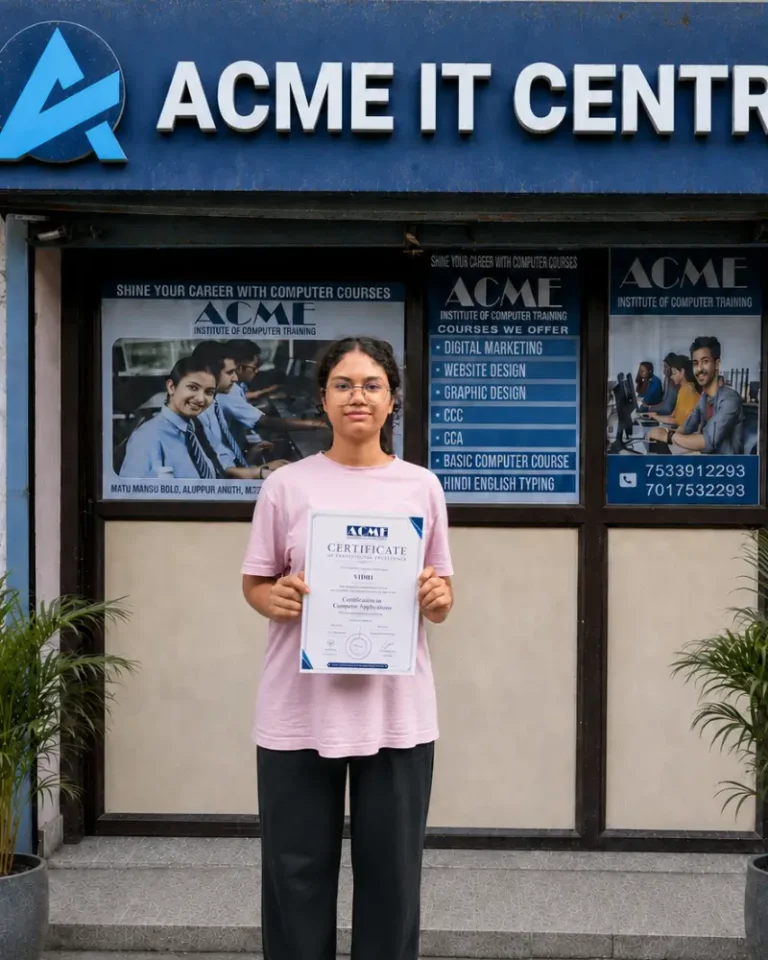
Vidhi
Basic computer training
July 2026
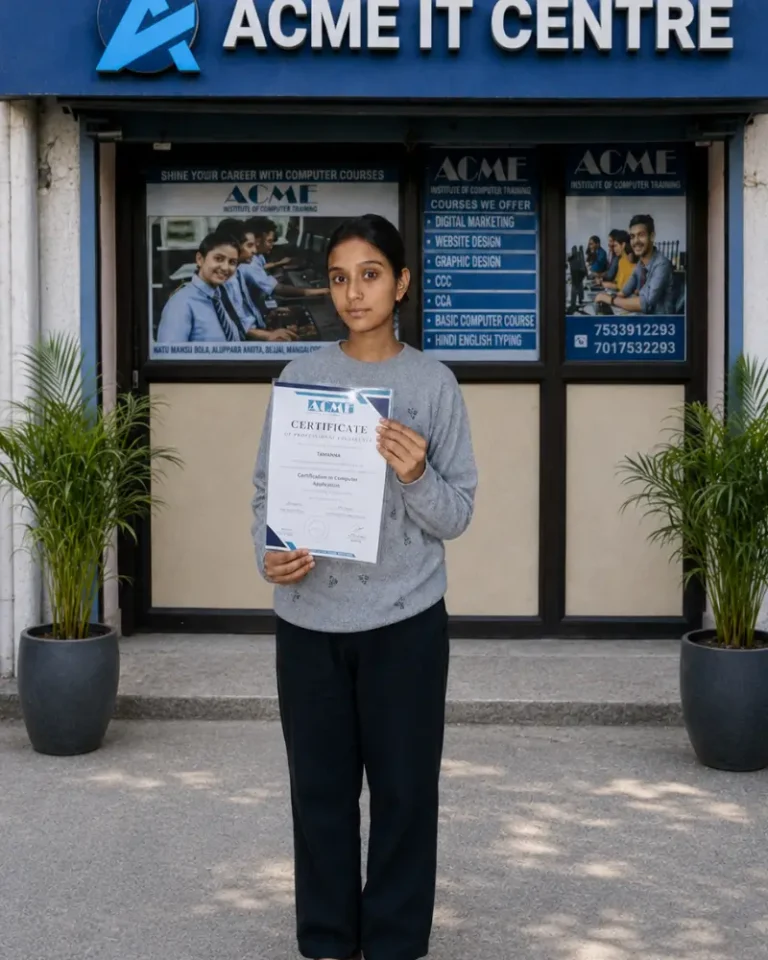
Tamanna
Basic computer training
Nov 2025
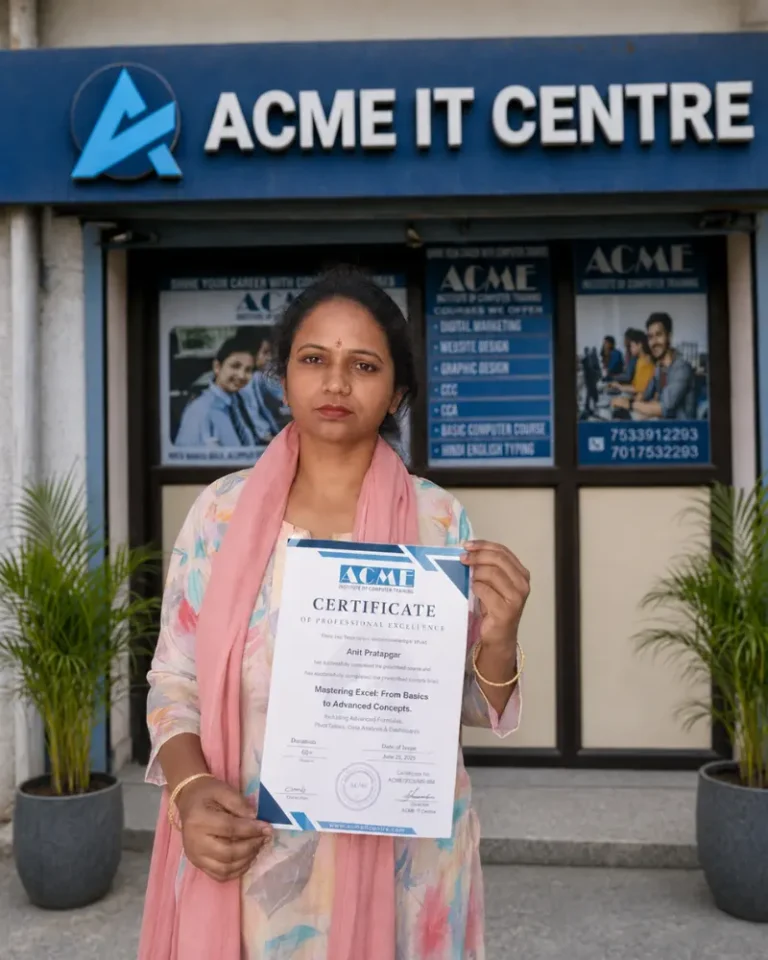
Arti Prajapati
Basic computer training
May 2026
| What to check | ACME IT Centre | Other institutes |
|---|---|---|
| Course fee | ₹6,000 | Commonly ₹15,000 – ₹30,000 in Dehradun |
| Where the course starts | From switching the computer on | Often assumes some basics |
| Teaching language | Hinglish, for Hindi-medium students | Often English only |
| Office 365 access | Included | Usually not provided |
| Daily practical assignments | Yes, real office-style tasks | Mostly theory notes |
| Notes and video lessons | PDF and video for every lesson | Usually classroom only |
Pick a batch that fits your schedule. Seats are limited and confirmed on a first-come basis.
Yes, you can call on the institute’s contact number or submit an enquiry form on the website to get personalised guidance about whether this course suits your goals.
Yes, with good document, spreadsheet, and email skills you can take up remote tasks like data entry, report creation, documentation, and virtual assistance work.
On successful completion and passing the final assessment, you receive an Office Automation course certificate from ACME I.T. Centre.
The institute provides computer systems for practice; having a personal laptop is optional but recommended for extra practice at home.
Yes, you get regular practice in typing, page layout, fonts, tables, and other formatting features so that you can create neat letters, applications, and official documents.
The course is highly practical; you spend most of the time working on a computer, doing live exercises and real‑life tasks under the guidance of the trainer.
You can click on “Enquire with us” or “Book demo class” on the course page, call the institute, or visit the centre in Ajabpur Khurd, Dehradun to complete your registration.
You can use the “Download course syllabus” option on the course page or request it through the enquiry form or at the front desk.
Your learning is tracked through classwork, practical assignments, and periodic tests so that you get feedback and can clearly see your improvement over the 3 months.
Office Automation skills are demanded in almost every sector, and this course helps you qualify for roles like computer operator, office assistant, receptionist, and back‑office or data entry positions.
Yes, the course starts with absolute basics like using the keyboard and mouse, understanding the desktop, and working with files and folders, so no prior computer knowledge is required.
Training is delivered in simple Hinglish so that students from both Hindi and English medium backgrounds can follow the concepts comfortably.
Yes. Almost every job needs basic computer, MS Office, email and internet skills, so this course improves employability for office, admin, data-entry and back-office roles. It's a strong first step for students and job seekers and a foundation for further IT courses.
The Basic Computer course at ACME I.T. Centre is a paid course — it is not free. What is free is the demo class: you can attend a session, see how the teaching works and ask questions before you pay anything.
If you are specifically looking for free or subsidised computer training, that usually comes through government skill-development schemes run at designated centres, which are separate from ACME and have their own eligibility rules. It is worth checking those directly if cost is the deciding factor.
What ACME offers instead is a 3-month practical programme at ₹6,000 (from ₹7,500), with the certificate, Office 365 access, notes and video lessons included in that one fee, and small batches so beginners get individual attention.
Yes, you can book a free demo class through the form on the course page or by contacting the institute directly.
There is generally no strict age limit; anyone who is comfortable learning in Hinglish and has basic reading and writing skills can join.
Yes, at the end of the course you will appear for a practical‑focused assessment covering Word, Excel, PowerPoint, and basic computer operations.
Yes, it builds a strong foundation in computer usage and MS Office, which makes it easier to move into advanced Excel, accounting, digital marketing, graphic design, or programming courses later.
A 3-month computer course is the standard beginner programme in India, long enough to cover fundamentals properly with daily hands-on practice rather than a rushed overview.
A typical syllabus covers computer and Windows basics, typing, MS Word, MS Excel, MS PowerPoint, internet, email and file management, ending with a completion certificate.
At ACME I.T. Centre the Basic Computer (Office Automation) course runs exactly 3 months, with each topic practised on a computer in small batches so beginners get individual attention.
The five skills that matter most for office and everyday work are:
1. Operating the computer and Windows — starting up, files and folders, settings.
2. Typing — accurate keyboard skill in English and Hindi.
3. Word processing — writing, formatting and printing documents in MS Word.
4. Spreadsheets — entering data, basic formulas and simple reports in MS Excel.
5. Internet and email — searching, downloading, and sending professional email with attachments.
Together these cover almost everything a beginner is asked to do in an office or a government job application. All five are taught practically in this course.
For a complete beginner, a basic computer or office automation course is the right starting point — not a programming or design course.
Look for one that covers Windows, typing, MS Word, Excel, PowerPoint, internet and email, and that gives you your own computer to practise on rather than only demonstrations. No prior knowledge should be required.
Once those fundamentals are comfortable, specialised courses such as Advanced Excel, digital marketing, graphic design or programming become far easier to learn.
If you miss a session, you can coordinate with the trainer or front desk to cover the missed practicals in another batch or extra doubt‑clearing time, subject to availability.
The Office Automation (Basic Computer) course runs for 3 months, with classes scheduled in convenient batches suitable for students and working professionals. The next batch start date is shown alongside the fees on this page — contact the centre to confirm your seat and timing.
The Basic Computer (Office Automation) course at ACME I.T. Centre is a 3-month practical offline programme. The regular fee is ₹7,500, and a 20% discount currently brings it to ₹6,000.
The fee structure is simple: one payment for the whole course, not a monthly charge. It covers computer basics, Windows, typing, MS Word, Excel, PowerPoint, internet, email and file management — plus a course completion certificate, daily practical assignments, Office 365 access, PDF notes for each lesson and video lessons. Notes, practice time and the certificate are not billed separately.
A demo class is free, so you can see how the teaching works before paying anything. Fees and offers change from time to time — the current figures are shown alongside the batch details on this page, and you can call the centre to confirm before enrolling.
This course is a practical, beginner‑friendly program that trains you to handle everyday computer and MS Office tasks used in modern offices, from typing letters to managing data and presentations.
Entry-level roles like Admin Assistant, Back Office Executive, Office Coordinator or Data Entry Assistant in India typically start around ₹10,000–20,000 a month, rising with speed, MS Office and typing skills. Basic computer skills are required for most office jobs. Pay depends on skills and interview performance.
You just need to carry your basic ID details, a notebook and pen, and, if you have one, your laptop; all software and practice files will be provided at the centre.
You receive guided lab practice, doubt‑clearing support from the trainer, and help in understanding how to apply these skills in real office situations.
You learn computer fundamentals, Windows file and folder management, MS Word for documents, MS Excel for calculations and data, MS PowerPoint for presentations, plus basic internet and email usage.
The centre is located at 99, Mata Mandir Rd, Bahuguna Colony, Ajabpur Khurd, Dehradun, Uttarakhand 248121.
There is no single best course — the right one depends on what you need it for.
For office work, data entry and most job applications, a basic computer or office automation course covering MS Office is the strongest choice. For accounting roles, Tally with GST. For a career in marketing, a digital marketing course.
What matters more than the name is how it is taught: enough practical time on a computer, small batches, and a syllabus that ends in skills you can demonstrate. Ask to attend a demo class before paying.
You will work hands‑on with a current version of Windows and MS Office applications like Word, Excel, and PowerPoint, along with web browsers and email tools for day‑to‑day office work.
It is ideal for students, fresh graduates, job seekers, business owners, and office staff who want to become confident with computers and essential office software, even if they are starting from zero.
The Basic Computer Course sessions are led by Mrs. Richa Bhatt, an experienced Computer Applications, MS Office and Tally trainer with 8+ years of teaching experience.
You learn how to search information online, download files, create and manage email accounts, send professional emails with attachments, and follow basic safety practices while browsing.
Along with basic sheets, you will practice important formulas, formatting, sorting, filtering, and simple charts so you can prepare reports and maintain office data professionally.
Basic computer and MS Office knowledge are commonly asked for in both government and private job notifications, and this training prepares you to meet those requirements confidently.
If you are searching for a Basic computer course in Dehradun, ACME IT Centre offers practical training designed for beginners, students, freshers and job seekers who want to build real computer skills for daily use, office work and career growth.
This course is ideal for learners who want to start from the basics and gradually become confident in using a computer for professional and personal tasks. Instead of teaching only theory, we focus on practical learning so students can understand how computers are actually used in offices, institutes, shops, businesses and modern workplaces.
Many students know basic computer terms but still feel confused when they have to complete actual tasks independently. They may struggle with typing documents, saving files properly, using folders, working with email, creating reports, managing data or handling simple digital tasks.
Our Basic computer course in Dehradun helps learners move beyond basic knowledge and develop practical confidence. Students learn step by step, with proper guidance and hands-on practice, so they can work comfortably on a computer in real situations.
This course is especially useful for students and freshers who want to prepare for office jobs, back-office work, data entry roles, admin support tasks and general workplace requirements. We focus on the kind of skills that employers expect from candidates with basic computer knowledge.
As part of this training, students improve their understanding of:
computer fundamentals, typing practice, file handling, digital work habits, document preparation, email use, data organization and office-ready computer skills.
That is why many learners choose ACME IT Centre when looking for basic computer training in Dehradun that is practical, simple to understand and useful for employment.
A strong computer foundation is incomplete without office-use skills. This is why the course also supports learners who want an MS Office course in Dehradun style foundation for practical work. Students understand how to create clean documents, organize information, prepare simple reports, manage basic data and perform day-to-day digital tasks more efficiently.
The training is designed to improve both speed and accuracy. In real office environments, completing work neatly and correctly is just as important as knowing the tools. Students are guided to develop habits like proper file naming, organized folder management, clean formatting, error checking and professional task completion.
If you are a complete beginner, this course is made for you. Concepts are explained in a simple and supportive way so learners with zero background can understand comfortably. Students get the chance to practice regularly, clear their doubts and build confidence without feeling pressured.
If you are searching for computer classes in Dehradun near Dharampur, Ajabpur, Nehru Colony or nearby areas, ACME IT Centre provides a student-friendly learning environment where beginners can start with confidence and improve steadily.
This course is a good choice for:
school and college students, job seekers, freshers, beginners, office staff, homemakers, small business owners and anyone who wants to improve practical computer skills.
Whether your goal is study support, office readiness, better job opportunities or comfortable daily computer use, this course helps you build a strong foundation.
Students choose ACME IT Centre because the training is practical, beginner-friendly and job-focused. We do not overload students with unnecessary theory. We focus on helping learners understand the work, practice properly and gain confidence step by step.
Key reasons to join:
practical training, simple explanation, beginner-friendly approach, office-use focus, regular practice, doubt support and useful skills for jobs and daily work.
This balanced approach makes our Basic computer course in Dehradun a strong option for learners who want useful knowledge, not just classroom theory.
Today, basic computer knowledge is important in almost every field. From filling online forms and sending emails to preparing documents and handling office tasks, computer skills are now essential for students, professionals and business users alike.
This course helps students become more confident, independent and work-ready. With guided practice and practical exposure, learners gain the ability to use computers more effectively in both personal and professional settings.
If you want to join a Basic computer course in Dehradun that is practical, beginner-friendly and useful for jobs as well as daily work, ACME IT Centre is here to help.
Book your free demo class today to understand the course, experience the teaching style and take the first step toward better computer skills, stronger confidence and more career opportunities.
The Basic Computer Course is one of many practical computer courses in Dehradun at ACME IT Centre. Explore the full range and choose the learning path that fits your career goals.
Ready to go beyond the basics with spreadsheets? Follow our guide on how to learn Excel step by step.
| Course fee | ₹6,000 (was ₹7,500) |
|---|---|
| Duration | 3 Months |
| Mode | Classroom (offline) in Dehradun |
| Language | Hinglish |
| Certificate | Issued by ACME IT Centre on completion |
| Instalments | Available |
| Next batch | 13 Oct 2026 |
| Trainer | Richa Bhatt |
We received your booking request. A course counsellor will verify the batch, answer your questions, and confirm your demo slot shortly.