
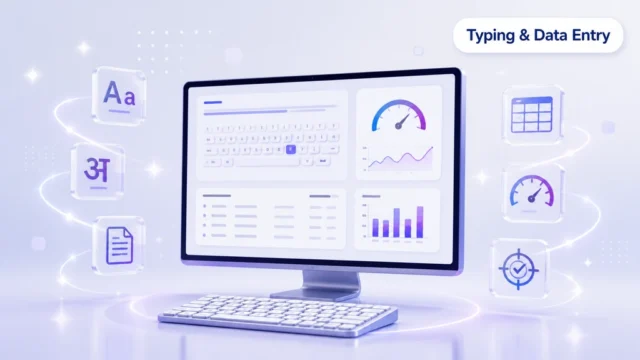
English Typing
Build touch-typing technique and steady words-per-minute speed in English.
A one-month typing and data entry course in Dehradun: touch typing in English and Hindi, Kruti Dev to Unicode layouts, plus Word and Excel practice.
Data entry means accurately typing information into a computer — customer records, bills, forms, invoices or spreadsheets — for offices, shops, hospitals, schools and government projects. The person doing it is usually called a data entry operator, and the job is judged on two things only: how fast you type and how few mistakes you make. No degree is required.
In practice the work is a mix of typing and simple office software. You type in English and in Hindi using the Kruti Dev, Mangal and Unicode layouts that Indian offices and government forms still ask for, enter and format records in MS Word and MS Excel, use the number pad for figures, and proofread your own work before it goes anywhere. Touch typing — typing without looking at the keyboard — is what turns this from slow hunt-and-peck work into a paid skill, and it is built through daily practice and regular speed tests rather than theory.
This is why a typing and data entry course in Dehradun is one of the quickest routes from 10th or 12th pass to a first office job. Back-office, admin, billing and documentation roles across the city all start with someone who can type cleanly, and the same skill supports work-from-home typing assignments. If you have been searching for Hindi typing classes or a data entry operator course near you, this is the practical, job-focused version of it.
Learn correct finger placement, keyboard rows, posture and touch-typing basics. Beginners start from zero and build the right habits from day one.
Daily English typing drills to raise your words-per-minute speed while keeping accuracy high, using real practice passages and shortcut keys.
Learn Hindi typing with Kruti Dev, Mangal and Unicode layouts — the formats used in government exams, offices and data-entry work.
Practice document typing and data entry in MS Word: formatting, tables, letters and clean, print-ready documents.
Practice data entry in MS Excel: entering records, working with rows and columns, and checking data for accuracy — the core of data-entry-operator work.
Regular speed and accuracy tests plus data-entry-operator style assignments so you finish the month job-ready for typing and data-entry roles.
What you'll practise on in every class
Typing cannot be learned by watching. It is a physical skill, like driving, and it only improves through repetition on a real keyboard with someone correcting your technique early — before wrong finger habits set and become hard to undo. That is why every class in this typing and data entry course in Dehradun is practice time on the actual tools rather than theory about them.
You work on English typing to build touch-typing technique and steady words-per-minute speed, and on Hindi typing across all three layouts offices and exams still ask for: Kruti Dev, Mangal and Unicode. Alongside that, MS Word for entering and formatting documents, letters and tables, MS Excel for records, rows and columns, and the numeric keypad for fast, accurate figure entry. Speed tests run regularly so you can see your WPM rise week by week, and accuracy drills run beside them, because an employer would rather have 30 words per minute with no errors than 50 with mistakes to fix.
This matters because the hiring test is the same test. Data entry and back-office selection almost always means sitting at an unfamiliar computer and typing a passage while someone watches the clock and the error count. Practising on exactly these tools means nothing on that screen is new to you, which is the difference between a nervous attempt and a confident one.
Build touch-typing technique and steady words-per-minute speed in English.
Type confidently in Hindi with the layouts employers ask for.
Practice all three common Hindi typing layouts used in offices and exams.
Enter and format documents, letters and tables for office work.
Enter records, use rows/columns and keep data clean and accurate.
Practice fast, accurate numeric data entry using the number pad.
Regular speed tests so you can see your WPM improve each week.
Accuracy drills to reduce errors — the key skill for data-entry jobs.
Where typing and data-entry skills can take you
Typing and data entry sit underneath almost every office job rather than beside them. Any organisation that keeps records — a hospital reception, a school office, a transport firm, a government project, a CA office, an online seller — needs someone who can put information into a system quickly and without errors. That is why this is one of the few skills where a 10th or 12th pass candidate can compete on demonstrated ability rather than on qualifications.
The roles that open up first are Data Entry Operator, Typist, Back Office Executive, Documentation Assistant and Admin Assistant. What gets you shortlisted is usually a live test: you will be asked to type a passage and your words per minute and error count decide the outcome, often in under ten minutes. Hindi typing in Kruti Dev, Mangal or Unicode widens this further, because government departments, courts and local offices in Dehradun still run on Hindi documentation and far fewer candidates can do it well.
Beyond a salaried job, steady typing speed supports work-from-home and part-time data entry assignments, and it makes every later course easier — Tally, Advanced Excel and back-office work all assume you are already fast on a keyboard. Pay for these roles is set by the employer and varies with your speed, accuracy and the kind of work involved, so treat any figure you see advertised as a starting point for discussion rather than a fixed rate.
Enter and update data accurately in Excel, Word and office software.
Type English and Hindi documents quickly and accurately for offices.
Handle backend data entry, records, reports and documentation.
Create, format and manage office documents and records.
Support daily office tasks with fast typing and data handling.
M.Tech in Structural Engineering with 8+ years of experience teaching Computer Applications, MS Office and Tally. Passionate about practical, student-centered learning.
| What to check | ACME IT Centre | Other institutes |
|---|---|---|
| Hindi and English typing | Both, from day one | Often English only |
| Fonts you actually practise on | Kruti Dev, Mangal and Unicode | Usually one font only |
| Speed and accuracy tests | Regular, progress tracked | Occasional, untracked |
| Real data-entry work | MS Word and Excel assignments | Typing drills only |
| Course duration | 1 Month | Often 3 months for the same skill |
| Guidance in class | Offline, personal attention | Self-paced software only |
Pick a batch that fits your schedule. Seats are limited and confirmed on a first-come basis.
It is a 1-month offline course at ACME IT Centre, with daily typing practice in both English and Hindi and regular speed tests.
The course fee is just Rs 500 for the full 1-month program. You can attend a free demo class before you join.
Yes. You practice English typing for speed and accuracy, and Hindi typing using Kruti Dev, Mangal and Unicode — the layouts used in offices and exams.
No. The course is open to everyone with no prerequisite, so even complete beginners can start from zero and learn step by step.
This is a practical, skill-focused course and does not include a certificate. The goal is real typing speed and data-entry accuracy you can use for jobs right away.
Yes. Fast, accurate typing with clean data entry in MS Word and Excel is exactly the skill data-entry-operator and back-office roles require.
Classes are held offline at our Dehradun centre in Ajabpur Khurd, which is easy to reach from Dharampur, Nehru Colony, Ajabpur and nearby areas.
If you are looking for a typing course near me or a practical data entry course in Dehradun, ACME IT Centre offers a focused 1-month program that builds real typing speed and data-entry accuracy. You practice both English and Hindi typing — including Kruti Dev, Mangal and Unicode layouts — along with hands-on data entry in MS Word and Excel. Classes are offline at our Dehradun centre, so you get personal guidance and daily practice on a real keyboard.
Fast, accurate typing is the single most useful office skill. It is the core requirement for data entry operator, back-office, admin and documentation jobs, and it makes every other computer task quicker. This course is designed for students, job seekers and working people who want a short, affordable and job-focused skill they can start using immediately.
It is also one of the few skills where no degree is asked for. Hiring is usually decided by a live test — you are given a passage to type, and your speed and error count decide the result. That makes it a genuinely fair entry point for a 10th or 12th pass candidate, and one of the quickest routes into a first office job.
You build touch-typing habits, keyboard confidence and speed (words per minute) in English, and learn Hindi typing using the layouts employers actually ask for — Kruti Dev, Mangal and Unicode. Regular speed and accuracy practice helps you steadily improve throughout the month.
Touch typing means typing without looking at the keyboard, using correct finger placement. It feels slower for the first week and then overtakes hunt-and-peck typing permanently, which is why we correct technique early — before the wrong habits set and become hard to undo.
Hindi typing deserves particular attention. Government departments, courts, schools and many local offices in Dehradun still run their documentation in Hindi, and far fewer candidates can type it confidently. Being comfortable across all three layouts widens the jobs you can apply for well beyond what English typing alone opens up.
Beyond typing, you practice real data entry in MS Word and Excel — entering, formatting and checking data, working with tables and records, and completing accuracy-focused assignments that mirror actual data-entry-operator work.
You also practise numeric entry on the number pad, which is what billing, accounts and inventory work depends on, along with proofreading and error-checking so the data you enter can be trusted. Accuracy matters more than raw speed here: most employers would rather have 30 words per minute with no mistakes than 50 with errors somebody else has to find and fix.
Most beginners start somewhere around 15 to 20 words per minute using two fingers. With daily practice across a one-month course, a realistic target is roughly 30 to 40 words per minute in English with high accuracy, which is enough for most entry-level data entry and back-office roles. Speed continues improving with everyday use after the course ends.
Regular speed and accuracy tests run throughout the month so you can watch your WPM rise week by week instead of guessing at your progress. Knowing your real numbers also means you can walk into a typing test without anxiety, because nothing on that screen will be unfamiliar.
This course suits students and freshers who want a quick, useful office skill, job seekers preparing for data entry operator and back-office roles, and anyone who wants faster English and Hindi typing. It also helps working people who handle documents and records daily and want to get through them faster.
Beginners with zero computer knowledge are welcome — no prior experience is assumed, and we start from correct finger placement. Learners join us from Dharampur, Ajabpur, Nehru Colony and nearby areas of Dehradun.
The roles this opens first are Data Entry Operator, Typist, Back Office Executive, Documentation Assistant and Admin Assistant. These exist across almost every sector — hospitals, schools, transport firms, showrooms, CA offices and government-linked projects all need someone who can enter records quickly and correctly. Pay for these roles is set by the employer and varies with your speed, accuracy and the work involved.
Steady typing speed also supports work-from-home and part-time data entry assignments, and it makes every later course easier. Advanced Excel, Tally and back-office work all assume you are already comfortable on a keyboard, so this is a sensible first step before any of them.
Classes run offline at our centre in Ajabpur Khurd, Dehradun — convenient for learners in Dharampur, Nehru Colony, Ajabpur and nearby areas searching for a typing institute near me or a Hindi typing course in Dehradun. The course is open to everyone; no prior computer knowledge is required.
Offline classes matter for this particular skill. Typing technique needs someone watching your hands and correcting them, which video lessons cannot do. Daily supervised practice on a real keyboard is what turns correct technique into actual speed.
Book a free demo class to see how we teach before you join — sit in a session, try the practice files, and ask about fees and timings before deciding. If you want broader office skills alongside typing, the Basic Computer Course covers Windows, MS Office, internet and email and pairs naturally with this one. You can also contact us for the current batch schedule.
The Typing & Data Entry Course is one of many practical computer courses in Dehradun at ACME IT Centre. Explore the full range and choose the learning path that fits your career goals.
| Course fee | ₹500 |
|---|---|
| Duration | 1 Month |
| Mode | Classroom (offline) in Dehradun |
| Next batch | 20 Sep 2026 |
| Trainer | Richa Bhatt |
We received your booking request. A course counsellor will verify the batch, answer your questions, and confirm your demo slot shortly.