
Adobe Photoshop
Edit images, create posters, banners, social media creatives, thumbnails and promotional graphics.
A graphic design course in Dehradun taught in Photoshop, Illustrator, InDesign and Canva Pro, building a real portfolio for design jobs and freelancing.
Graphic design is the work of communicating a message visually — the logo a business is recognised by, the social media posts it puts out every week, the poster outside its shop, the brochure it hands a customer, the packaging its product sits in. Good design is not decoration; it is arranging text, images, colour and space so that a person understands the message in a couple of seconds.
That comes from two things learned together: the tools and the principles. On the tool side, Adobe Photoshop for image editing and creatives, Illustrator for logos, icons and vector artwork that scales without blurring, InDesign for brochures and print layouts, and Canva and Adobe Express for fast everyday social media work. On the principle side, typography, colour theory, layout, spacing, alignment and visual hierarchy — the reasons one poster looks professional and another does not, even when both were made in the same software.
Every shop, institute, brand and marketing agency in Dehradun needs a steady stream of creatives, and that demand never really pauses. It is also one of the easier skills to start earning from alongside a job or studies, since a single portfolio of real work is often enough to win a first freelance client. A graphic design course in Dehradun leads to junior designer and social media creative roles, print and branding work, or independent project-based income.
Learn what graphic design is and how it is used in business, advertising, social media, print media and branding. This module explains the role of a graphic designer and the types of design work designers create. Students will understand the difference between print design, digital design, branding design and social media design. This module builds a strong foundation before starting software tools.
Understand the basic principles of design such as balance, contrast, alignment, spacing, repetition, hierarchy and consistency. Students will learn why some designs look professional while others look crowded or confusing. This module explains how to arrange text, images and visual elements properly. It helps beginners start thinking like designers, not just software users.
Learn how colours affect the look and message of a design. Students will understand colour combinations, contrast, brand colours, background colours and readability. This module explains how to choose colours for posters, social media creatives, logos and print materials. Students will also learn common colour mistakes beginners should avoid.
Typography is the art of using fonts properly in design. Students will learn font selection, font pairing, font size, line spacing, readability and text hierarchy. This module explains how typography affects the overall quality of a design. Students will practice creating designs where text looks clear, balanced and professional.
Learn how to place design elements in a clean and attractive way. Students will understand grids, margins, alignment, whitespace, section balance and focal points. This module explains how layout guides the viewer’s eye from headline to message to call-to-action. Good layout skills are important for posters, banners, brochures and social media creatives.
Learn the Photoshop interface, tools, layers, selection tools, text tools, shapes and basic editing workflow. Students will understand how Photoshop is used for image editing, poster design and digital creatives. This module starts from beginner level and builds confidence step by step. Students will practice simple design tasks using real examples.
Learn how to crop, resize, retouch, adjust brightness, contrast, colour and improve images in Photoshop. Students will understand image correction basics and how to prepare images for design use. This module explains how to clean and improve visuals without over-editing. It is useful for posters, banners, thumbnails and social media designs.
Learn how to create posters, banners and promotional graphics using Photoshop. Students will practice layout, image placement, text hierarchy, colour balance and call-to-action placement. This module explains how to design for events, offers, courses, local businesses and advertisements. Students will create practical poster and banner samples for their portfolio.
Learn how to create Instagram posts, Facebook creatives, ad banners, story designs and promotional graphics. Students will understand social media sizes, mobile readability and brand consistency. This module explains how social media designs should attract attention quickly. Students will practice creating clean and engaging creatives for digital platforms.
Learn the Illustrator interface, artboards, shapes, selection tools, pen tool basics, text tools and vector design workflow. Students will understand the difference between raster and vector graphics. This module explains why Illustrator is useful for logos, icons, illustrations and branding elements. Students will practice simple vector designs step by step.
Learn how logo design works and what makes a logo simple, clear and memorable. Students will understand logo shapes, typography, icon concepts, colour use and scalability. This module explains why logos should work in different sizes and formats. Students will create basic logo concepts for portfolio practice.
Learn how to create icons, simple illustrations, shapes and vector elements in Illustrator. Students will understand how vector graphics are used in posters, websites, branding and social media designs. This module improves shape-building and clean design skills. Students will create reusable design assets for their projects.
Learn the basics of brand identity, including logo, colour palette, fonts, visual style and brand consistency. Students will understand how brands use the same design language across posters, social media and print materials. This module explains how to create simple branding guidelines. It helps students design with a professional and consistent approach.
Learn the InDesign interface, pages, text frames, image frames, master pages and layout tools. Students will understand how InDesign is used for brochures, magazines, certificates, reports and multi-page designs. This module explains the difference between Photoshop, Illustrator and InDesign. Students will practice creating clean page layouts.
Learn how to create brochures, flyers and promotional print layouts using InDesign. Students will understand columns, grids, text flow, image placement and print layout structure. This module explains how to design information-heavy content in a clean way. Students will create brochure and flyer samples for portfolio use.
Learn important print design concepts such as paper size, bleed, margin, CMYK, resolution, export settings and print-ready files. Students will understand why digital designs and print designs need different preparation. This module helps students avoid common print mistakes. It is useful for posters, flyers, brochures, certificates and business cards.
Learn how to use Canva for quick designs, social media posts, posters, banners, presentations and basic marketing creatives. Students will understand templates, brand kits, layouts, elements and export options. This module is useful for fast design work and non-complex client requirements. Students will learn how to customize Canva designs instead of using templates blindly.
Learn how to use Adobe Express for quick graphics, social media creatives, posters, flyers and branded visual content. Students will understand how Adobe Express supports fast design workflows. This module helps students create clean designs when quick turnaround is needed. Students will also learn when to use Adobe Express and when to use Photoshop, Illustrator or InDesign.
Learn how to create a consistent design style for social media pages. Students will understand post templates, story templates, carousel layouts, colours, fonts and brand consistency. This module explains how businesses use repeated design systems to look professional online. Students will create a mini social media design set for practice.
Learn how to create ad creatives for Facebook, Instagram, Google Display and promotional campaigns. Students will understand attention-grabbing headlines, offer placement, product focus, CTA buttons and mobile-friendly design. This module explains how ad creatives are different from normal posts. Students will practice creating conversion-focused ad creatives.
Learn how to design certificates, ID cards and business cards with proper layout and print settings. Students will understand size, spacing, logo placement, typography and professional formatting. This module is useful for institutes, offices, events and small business design work. Students will create practical print samples for portfolio use.
Learn how to organize design work into a presentable portfolio. Students will understand which projects to include, how to show design categories and how to present before-and-after or final designs. This module explains why a portfolio is more important than only a certificate. Students will prepare a beginner-friendly design portfolio for jobs and freelancing.
Learn how graphic design freelancers handle client requirements, design briefs, revisions, file delivery and communication. Students will understand how to ask the right questions before starting a design project. This module explains basic pricing awareness, revision handling and professional behaviour. It helps students prepare for real client-style design work.
Learn how to prepare for entry-level graphic design interviews. Students will understand common interview questions, portfolio explanation, software skill presentation and design thinking discussion. This module helps students explain their practical work clearly. It also guides learners on how to present their creativity and project experience professionally.
Students will create a final portfolio project using the skills learned during the course. The project can include posters, social media creatives, logo concepts, brochure design, ad creatives, business card and brand style samples. This project helps students show practical design ability during interviews or freelancing discussions. It builds confidence for real design work after course completion.
Professional Graphic Design Toolkit
Design is judged on output, so the training has to produce output. Nobody hiring a designer asks about marks — they ask to see work, and every interview effectively becomes a portfolio review. This graphic design course in Dehradun is therefore built around producing real pieces in professional software, with a year of Canva Pro and premium font access so your practice continues outside class.
The core is the Adobe suite used across the industry: Photoshop for image editing, posters, banners, thumbnails and social creatives; Illustrator for vector work, logos, icons and brand assets that scale without blurring; and InDesign for brochures, flyers, certificates and multi-page print layouts. Alongside these sit Canva and Adobe Express for the fast everyday turnaround most real jobs actually demand. Then the craft itself, taught as its own set of skills: typography and font pairing, colour and contrast, layout and grid work, and print production with sizes, margins, bleed, CMYK and export settings — the details that decide whether a file survives contact with a printing press.
Two further areas are included because they decide whether you get paid: portfolio tools for presenting your work to employers and clients, and client workflow — handling a brief, managing revisions and delivering files professionally. Software skill alone does not make a career; knowing how to work with a client is what sustains one.
Edit images, create posters, banners, social media creatives, thumbnails and promotional graphics.
Create vector graphics, logos, icons, brand elements and scalable design assets.
Design brochures, flyers, certificates, magazines and professional multi-page print layouts.
Create quick social media posts, posters, banners, presentations and marketing creatives.
Create fast branded graphics, flyers, social posts and simple promotional designs.
Learn font pairing, text hierarchy, readability and professional text layout.
Understand colour combinations, contrast, brand colours and visual mood.
Create balanced layouts using spacing, alignment, grids and visual hierarchy.
Prepare print-ready designs with size, margin, bleed, CMYK and export settings.
Create post templates, story creatives, carousel layouts and ad creatives for social platforms.
Organize and present design work for job interviews and freelancing clients.
Learn design brief, revision handling, file delivery and professional client communication.
Career Pathways & Growth
Design work does not arrive in one large piece — it arrives constantly. A single business needs social posts every week, a festival offer, a new banner, a visiting card, a brochure before an exhibition, a menu reprint. That steady, repeating requirement is what keeps designers in demand across Dehradun's shops, institutes, printing presses, marketing agencies and brands, and it is why design is one of the easier fields in which to start earning before you finish learning.
The roles to aim for are Graphic Design Intern at around ₹12,000 to ₹18,000 a month, then Junior Graphic Designer at roughly ₹15,000 to ₹25,000, with Social Media Creative Designer, Print Design Assistant, Canva and Adobe Express Designer, Creative Design Assistant and Logo & Branding Assistant generally falling between ₹12,000 and ₹25,000 depending on the studio and your software depth. In this field the portfolio decides the interview almost entirely — nobody asks for marks, they ask to see your work, which is why the project pieces built during the course matter so much.
Freelance and project-based work runs alongside all of it, and income there depends on the client and the scope rather than a monthly figure. Many designers keep a job and take on outside projects for extra earnings. Actual salary depends on skill, portfolio, creativity, software practice, interview performance, city, company and job role — the ranges above are typical, not guaranteed.
Assist with posters, banners, social media creatives, image editing and basic design tasks under guidance.
Create digital and print designs such as posters, flyers, banners, social media posts and basic branding graphics.
Design Instagram posts, Facebook creatives, ad graphics, stories, thumbnails and campaign visuals.
Prepare brochures, flyers, certificates, business cards and print-ready design files.
Support logo concepts, brand colours, icons, typography and basic brand identity design.
Create quick marketing designs, social posts, presentations and simple brand creatives using Canva and Adobe Express.
Create posters, banners, social media creatives, logos and print materials for small businesses and clients.
Support design teams with creative concepts, layout work, image editing and campaign design tasks.
What you leave with
Every student who completes Graphic Design Course in Dehradun at ACME IT Centre is awarded a course completion certificate.
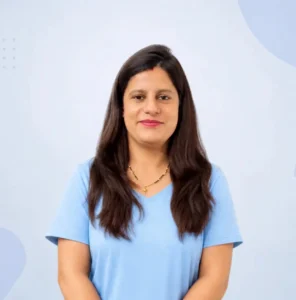
Mrs. Richa Bhatt holds an M.Tech in Structural Engineering and has 8+ years of experience teaching Computer Applications, MS Office and Tally. She also has 5+ years of experience teaching Graphic Design using Adobe Photoshop, Illustrator, InDesign, Canva and Adobe Express.
"Completing the Graphic Design Course at ACME IT Centre was one of the best investments I made in my career. The syllabus is industry-relevant and covers all the important design tools. The trainer is dedicated and ensures every student understands the concepts well before moving forward. I especially benefited from learning UI design and mockup creation. Strongly recommend this course for aspiring designers."
"The Graphic Design Course at ACME IT Centre is top class. The trainer covers all the major software tools used in the design industry and ensures students get plenty of practice time. The institute has a clean and professional environment which is great for learning. After completing the course I was able to confidently apply for design roles. Got my first client within two weeks of course completion."
"I am really happy that I chose ACME IT Centre for the Graphic Design Course. The training is thorough and I learned design concepts from scratch. The trainer assigns real projects and gives feedback to help improve skills. The course helped me build a strong portfolio which I used to get my first design job. I highly recommend this institute to anyone in Dehradun looking for quality design training."
"Outstanding graphic design training at ACME IT Centre! I was looking for a course that covers practical design skills and this one delivered exactly that. The training covers Photoshop, Illustrator, InDesign, and Canva among other tools. The trainer is approachable and regularly updates the curriculum to match industry trends. I now create professional designs for my employer and get great feedback."
| What to check | ACME IT Centre | Other institutes |
|---|---|---|
| Course fee | ₹15,500 | Commonly ₹15,000 – ₹30,000 in Dehradun |
| Canva Pro | 1 year premium, included | Usually the free version |
| Premium fonts | Access included | Usually not provided |
| What you finish with | A portfolio of real designs | Practice exercises only |
| Recorded sessions | Included | Rarely provided |
| Seats per batch | 20 | Usually 8 to 30 |
Pick a batch that fits your schedule. Seats are limited and confirmed on a first-come basis.
No, drawing skill is not required to start this course. Graphic design is mainly about layout, typography, colours, images, software tools and creative communication. Drawing can help, but it is not compulsory for beginners.
Yes, students receive an ACME IT Centre Course Completion Certificate after successfully completing the Complete Graphic Design Course.
Yes, Adobe Illustrator is included. Students learn vector design, logo design basics, icons, shapes, branding elements and scalable graphics using Illustrator.
Yes, Adobe InDesign is included. Students learn brochure design, flyer design, certificates, multi-page layouts and print-ready document design using InDesign.
Yes, Adobe Photoshop is included in this course. Students learn image editing, poster design, banner design, social media creatives, photo correction, thumbnails and promotional graphics using Photoshop.
Yes. Almost every business needs social media creatives, logos, posters, ads and branding, so skilled designers stay in demand across agencies, marketing teams and freelancing. It's also a flexible skill for content creators and business owners who want to make their own visuals.
Yes, this course is suitable for beginners. ACME IT Centre starts the training from basic design concepts, colour theory, typography and layout, then gradually moves to Photoshop, Illustrator, InDesign, Canva, Adobe Express, print design, social media creatives and portfolio projects. No previous design experience is required.
Yes, ACME IT Centre offers online and offline batches both. Students from Dehradun can join classroom training, while students from other locations can join online classes.
Yes, this course is useful for freelancing beginners. Students learn practical design outputs and basic freelancing/client workflow such as understanding client briefs, handling revisions, delivering files and presenting design work.
Students can apply for roles such as Graphic Design Intern, Junior Graphic Designer, Social Media Creative Designer, Print Design Assistant, Logo & Branding Assistant, Canva Designer, Creative Design Assistant and Freelance Graphic Designer. Career growth depends on skill, portfolio, creativity and practice.
The duration of this Complete Graphic Design Course is 3 months. During this time, students learn design fundamentals, professional tools, practical projects, portfolio building and freelancing basics step by step.
The Complete Graphic Design course at ACME IT Centre is priced at ₹15,500 (from ₹18,000) and includes Canva Pro access for one year, premium fonts, recorded sessions and a completion certificate. Contact the institute to confirm the current fee and upcoming batch.
Entry-level roles like Junior Graphic Designer or Social Media Creative Designer in India typically pay around ₹1.5–3 LPA to start, rising with your portfolio and skills. Freelance design work is also common. Pay depends on creativity, software practice and interview performance.
You will learn Adobe Photoshop, Adobe Illustrator, Adobe InDesign, Canva, Adobe Express, typography, colour theory, layout, branding basics, logo design, poster design, banner design, brochure design, social media creatives, print design, portfolio building and freelancing/client workflow basics.
ACME IT Centre focuses on practical and project-based training. Students learn design tools, design concepts, real creative projects, portfolio building and basic freelancing workflow in a beginner-friendly way.
Yes, students work on portfolio-based projects during the course. The portfolio may include posters, social media creatives, logo concepts, brochures, ad creatives, business cards and branding samples.
Yes, Canva and Adobe Express are included in this course. Students learn how to create quick social media designs, posters, flyers, presentations and marketing creatives using these tools.
Yes, logo design basics are included. Students learn logo concepts, shapes, typography, colour use, scalability and simple brand identity design. The course focuses on practical beginner-to-advanced logo and branding practice.
Yes, print design is included. Students learn posters, flyers, brochures, certificates, business cards, print layout, bleed, margins, CMYK, resolution and export settings.
Yes, social media creative design is an important part of this course. Students learn Instagram posts, Facebook creatives, story designs, ad graphics, thumbnails, carousel layouts and brand-consistent templates.
Looking for a practical Complete Graphic Design Course in Dehradun that helps you learn professional design tools and create real design projects? ACME IT Centre offers a 3-month beginner-to-advanced Graphic Design Course for students, job seekers, freelancers, business owners, content creators and anyone who wants to build practical design skills.
This course covers Adobe Photoshop, Adobe Illustrator, Adobe InDesign, Canva and Adobe Express. Students will learn design fundamentals, poster design, banner design, social media creatives, logo design, branding basics, print design, page layout design, portfolio building and freelancing/client design workflow. The course is designed to help learners create practical design work, not just understand software tools.
Graphic design is used in almost every business today. Brands need posters, social media posts, banners, brochures, logos, thumbnails, advertisements, presentations, certificates, packaging designs and marketing creatives. A good graphic designer knows how to combine text, images, colours, layout and visual hierarchy to communicate a message clearly.
Learning graphic design can help students and beginners build career opportunities in design studios, digital marketing agencies, printing businesses, social media teams, companies and freelancing. It is also useful for business owners and content creators who want to create better marketing visuals for their own work.
ACME IT Centre’s Complete Graphic Design Course in Dehradun focuses on practical design projects. Students will work on posters, banners, social media creatives, logo concepts, branding elements, brochures, flyers, certificates, print layouts and portfolio projects. The course teaches how to use design tools with real-world design goals.
Students will not only learn where tools are located inside Photoshop, Illustrator or InDesign. They will learn when to use each tool, how to plan a design, how to balance text and visuals, how to choose colours, how to prepare designs for print and how to create professional-looking creatives for digital platforms.
In this course, students will learn Adobe Photoshop for image editing, poster design, social media creatives and photo-based designs. They will learn Adobe Illustrator for vector design, logo design, icons, shapes and branding graphics. They will learn Adobe InDesign for brochures, magazines, multi-page layouts, certificates and print-ready documents.
Students will also learn Canva and Adobe Express for fast design workflows, social media creatives, presentations, posters and marketing graphics. Along with software tools, the course covers typography, colour theory, layout, branding basics, print design basics, social media design, portfolio building and freelancing/client workflow.
This course is suitable for students, beginners, job seekers, freelancers, business owners and content creators. Students can use the course to prepare for graphic design jobs, social media design roles and entry-level creative positions. Freelancers can use these skills to create posters, banners, social media creatives, logos, brochures and marketing materials for clients.
Business owners and content creators can use this course to design their own marketing creatives, social media posts, thumbnails, posters and promotional graphics. The course helps learners build practical confidence and a portfolio that can support job interviews, freelancing discussions and client work.
Students will get practical exposure to Adobe Photoshop, Adobe Illustrator, Adobe InDesign, Canva and Adobe Express. These tools help students create image-based designs, vector graphics, brand assets, print layouts, social media creatives, presentations and quick marketing visuals.
The course includes practical assignments and portfolio-based projects. Students will create posters, banners, social media creatives, logo concepts, branding elements, brochure layouts, flyers, certificates, ad creatives and print-ready design samples. These projects help students build a strong design portfolio for jobs, freelancing and creative career growth.
This Complete Graphic Design Course is available in both online and offline batches. Students from Dehradun can join classroom training, while students from other locations can join online classes. The course is taught in Hinglish so students can easily understand design concepts, software tools and practical projects. After completing the course, students receive an ACME IT Centre Course Completion Certificate.
ACME IT Centre focuses on practical, project-based and career-focused training. In this Graphic Design Course, students do not only learn software buttons. They learn how to think like a designer, plan a visual, create clean layouts, use colours properly, design for print and digital platforms, and prepare a portfolio.
If you want to learn Photoshop, Illustrator, InDesign, Canva, Adobe Express, print design, social media design and portfolio creation, ACME IT Centre’s Complete Graphic Design Course in Dehradun can help you build practical design skills for jobs, freelancing and creative work.
The Graphic Design Course is one of many practical computer courses in Dehradun at ACME IT Centre. Explore the full range and choose the learning path that fits your career goals.
| Course fee | ₹15,500 (was ₹18,000) |
|---|---|
| Duration | 3 Months |
| Mode | Classroom (offline) in Dehradun |
| Language | Hinglish |
| Certificate | Issued by ACME IT Centre on completion |
| Instalments | Available |
| Next batch | 11 Oct 2026 |
| Trainer | Richa Bhatt |
We received your booking request. A course counsellor will verify the batch, answer your questions, and confirm your demo slot shortly.