
Welcome to ACME IT Centre
Need Help? Chat on WhatsApp

Graphic Design Mastery- AI, Photoshop, Illustrator, Indesign
0.0
(0 ratings)
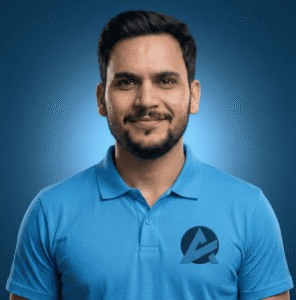
Students Trained Instructor: Mr. Ganesh Bhatt
Language: English Difficulty: Intermediate Mode: Online & Offline

Graphic Design Mastery- AI, Photoshop, Illustrator, Indesign

students Trained
Mr. Ganesh Bhatt
Course Instructor Mr. Ganesh Bhatt
English
Intermediate
Online & Offline
Total Course Fee
₹ /-
EMI / Installment Available

Course Content

9 sections
This section builds your foundation in graphic design. You will understand what graphic design is, how the industry works, and what skills are required to become a professional designer. You will learn about design careers, types of design work, and how designers solve real business problems. You will also get access to important design resources such as free fonts, color tools, mockup websites, stock image platforms, icon libraries, and inspiration websites. This section prepares you with the right mindset, tools, and direction before moving into practical software training.
Strong design starts with strong basics. In this section, you will learn important design principles like color theory, typography, layout design, visual hierarchy, balance, contrast, alignment, spacing, and composition. You will understand how to combine colors professionally, choose the right fonts, and create designs that look clean and modern. This section will train your eye to think like a designer and create visually powerful designs that communicate clearly.
In this section, you will learn how to create high-quality creative designs using Adobe Photoshop. You will work on real projects such as social media posts, posters, banners, photo manipulation, background removal, retouching, and advertising creatives. You will learn how to use layers, masks, blending modes, smart objects, and professional editing techniques. By the end of this section, you will be able to create eye-catching and professional-level designs confidently.
This section focuses on modern AI tools that help designers work faster and smarter. You will learn how to generate creative ideas, design concepts, mockups, and visual assets using AI-powered tools. You will understand how to combine AI with your design skills to improve productivity, save time, and create unique visuals. This section helps you stay updated with the latest industry trends and gives you a competitive advantage.
In this section, you will master vector design using Adobe Illustrator. You will learn how to create logos, brand identity designs, icons, illustrations, packaging designs, and print-ready graphics. You will understand the pen tool, shapes, typography tools, gradients, and advanced vector techniques. This section focuses on building clean, scalable, and professional designs used in branding and marketing.
This section teaches you how to design professional multi-page documents using Adobe InDesign. You will create brochures, magazines, company profiles, flyers, catalogs, and business presentations. You will learn layout grids, master pages, typography settings, print preparation, and exporting files correctly. This section helps you design structured and organized layouts used in print and publishing industries.
This section focuses on the core fundamentals of Photoshop. You will learn the interface, tools, shortcuts, file setup, image adjustments, and basic editing techniques. It is perfect for beginners who want to build strong basics before moving to advanced creative projects. After completing this section, you will feel comfortable working inside Photoshop without confusion.
In this section, you will learn the basic tools and features of Illustrator. You will understand how to create simple shapes, work with paths, use the pen tool, manage colors, and create basic vector graphics. This section builds your foundation in vector design and prepares you for advanced logo and branding projects.

Description

Graphic Design Mastery – AI, Photoshop, Illustrator, InDesign is a complete graphic design course for beginners and professionals who want to learn professional design skills and build a creative career.

This course includes Adobe Photoshop training, Adobe Illustrator course, Adobe InDesign training, AI design tools, logo design, branding design, poster design, social media design, brochure design, and print design. You will learn color theory, typography, layout design, visual hierarchy, and brand identity creation.

If you are searching for the best graphic design course, Photoshop and Illustrator course for beginners, logo design course, branding course, AI graphic design training, or freelancing graphic design course, this program is designed for you.

After completing this course, you will be able to create professional designs, build a strong portfolio, work with clients, and start earning as a freelance graphic designer or work in a design agency.

Instructors

Mr. Ganesh Bhatt

Instructor

Mr. Ganesh Bhatt
  • 4.9 Instructor Rating
  • 2521 Reviews
  • 32541 Students
  • 12 Courses

0.0 course rating • 0 ratings

No reviews yet.

Contact & Resources

Graphic Design Mastery- AI, Photoshop, Illustrator, Indesign
0.0
(0 ratings)
students

Book Your Free Demo Class

Fill in your details and we will contact you to schedule your demo.

Request a Call Back

Leave your details below and our team will reach out to you shortly.